 Symptom Atlas
Track, monitor, and understand your symptoms — across every system in your body. Private by design. Everything stays on your device.
Symptom Atlas gives you a structured, consistent way to log what your body is doing over time. No wellness scores. No gamification. Just your data, organized.
Log in seconds
Pick a system, pick a symptom, rate severity 1–10, add a note. Done. No friction, no required fields.
10 body systems
General, Physical Pain, Mental Health, Cardiovascular, Digestive, Women's Health, Respiratory, Skin, Sleep, and Neurological.
Trends over time
Severity trend lines and frequency charts across any date range. See patterns that are invisible entry by entry.
PDF export
Generate a paginated PDF report of your symptom history — ready to share with a doctor or keep for your records.
Fully private
No account. No server. All data lives in a local database on your device. Phrax Inc. never sees your entries.
Accessible display
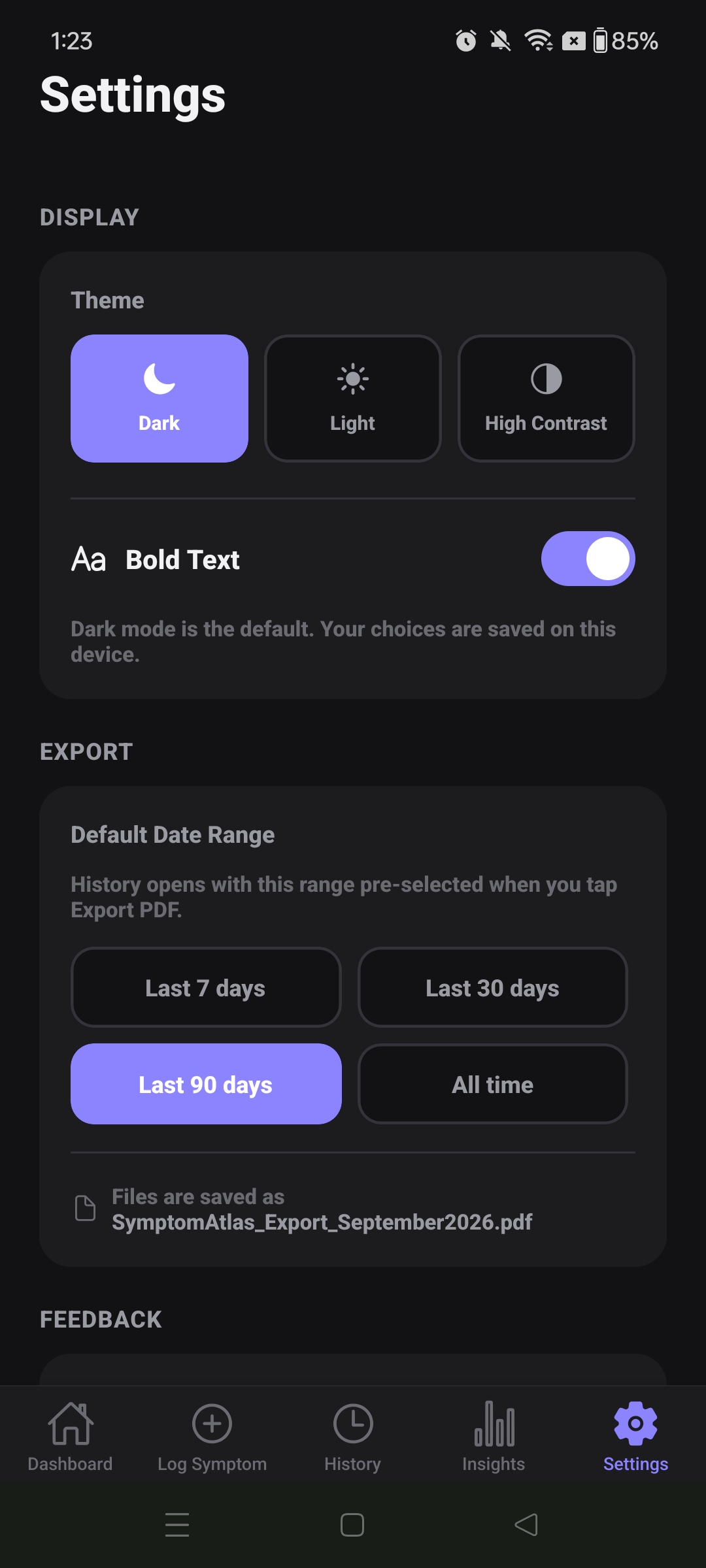
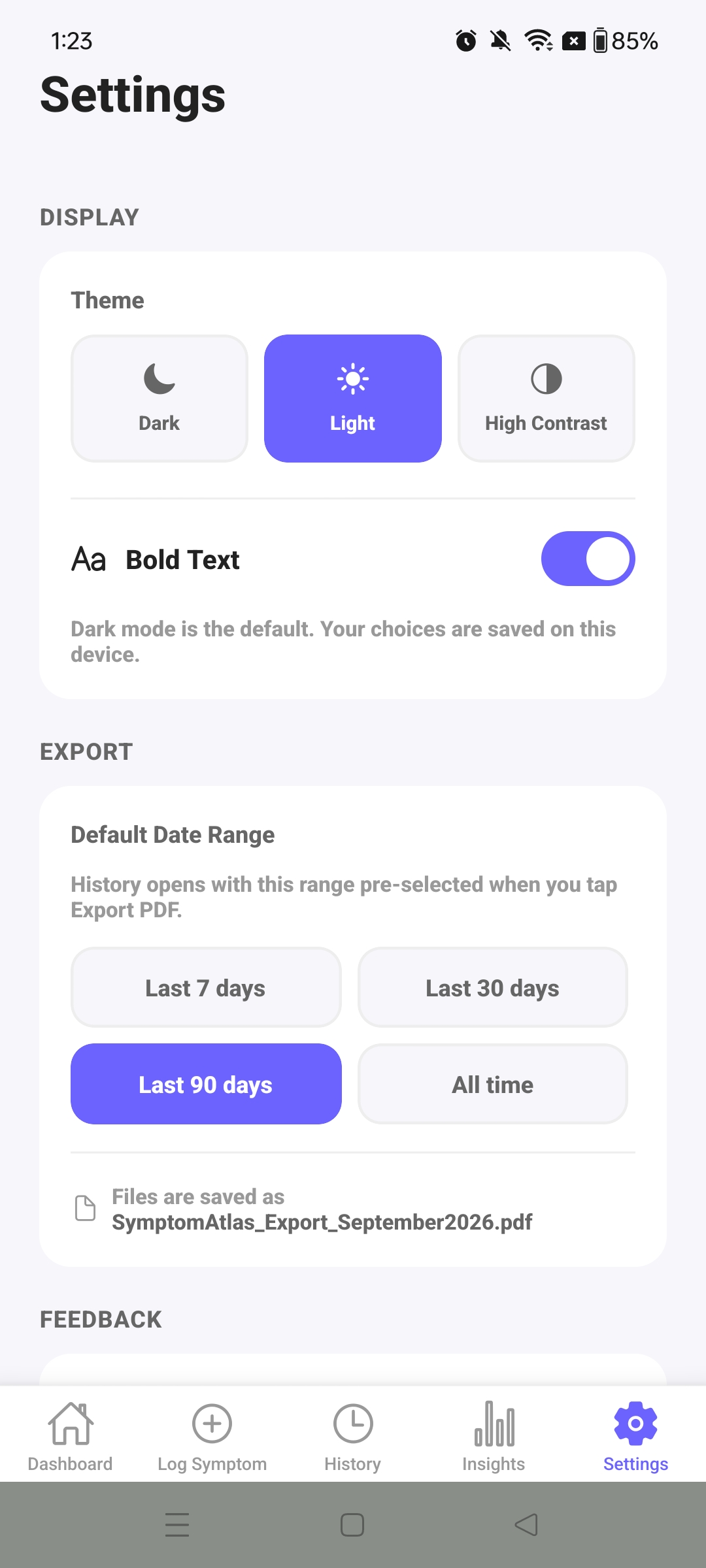
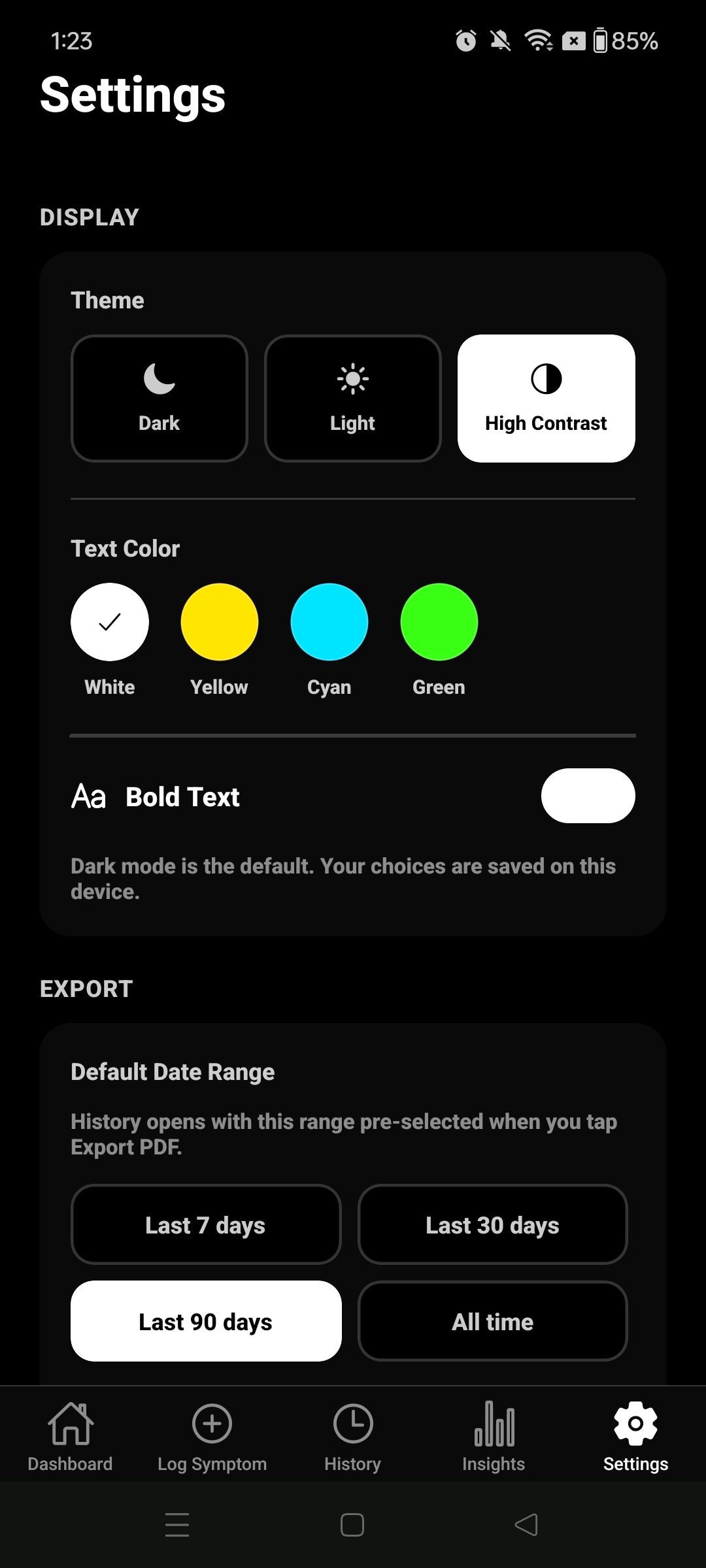
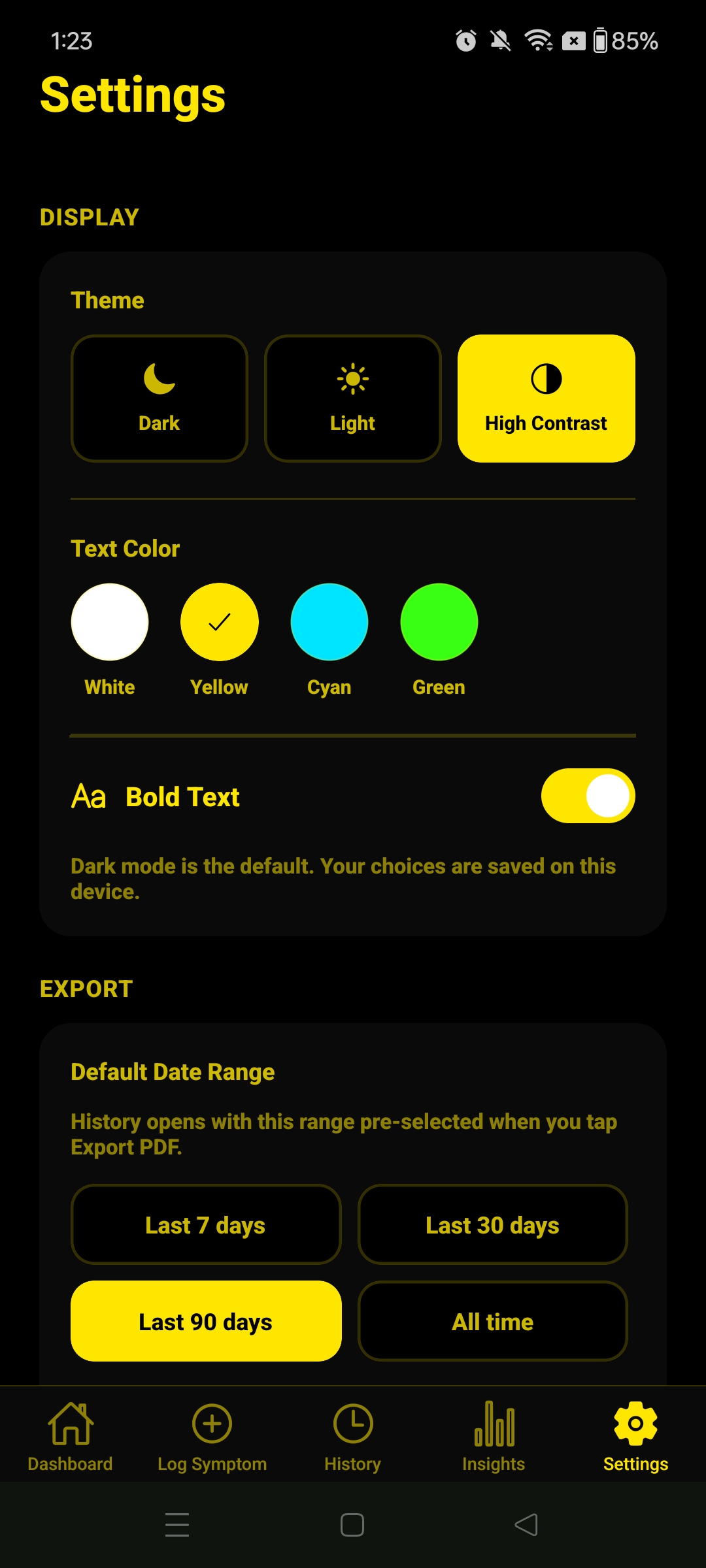
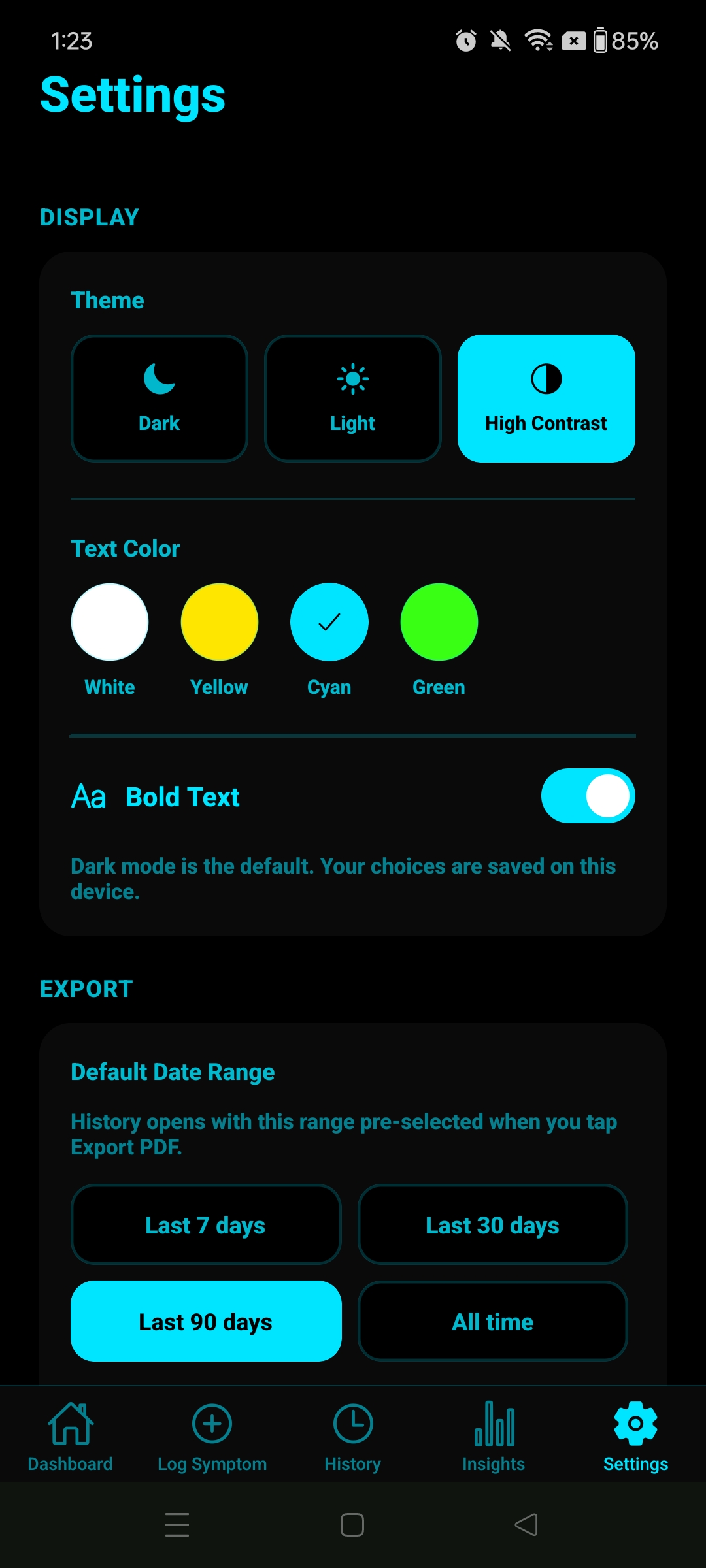
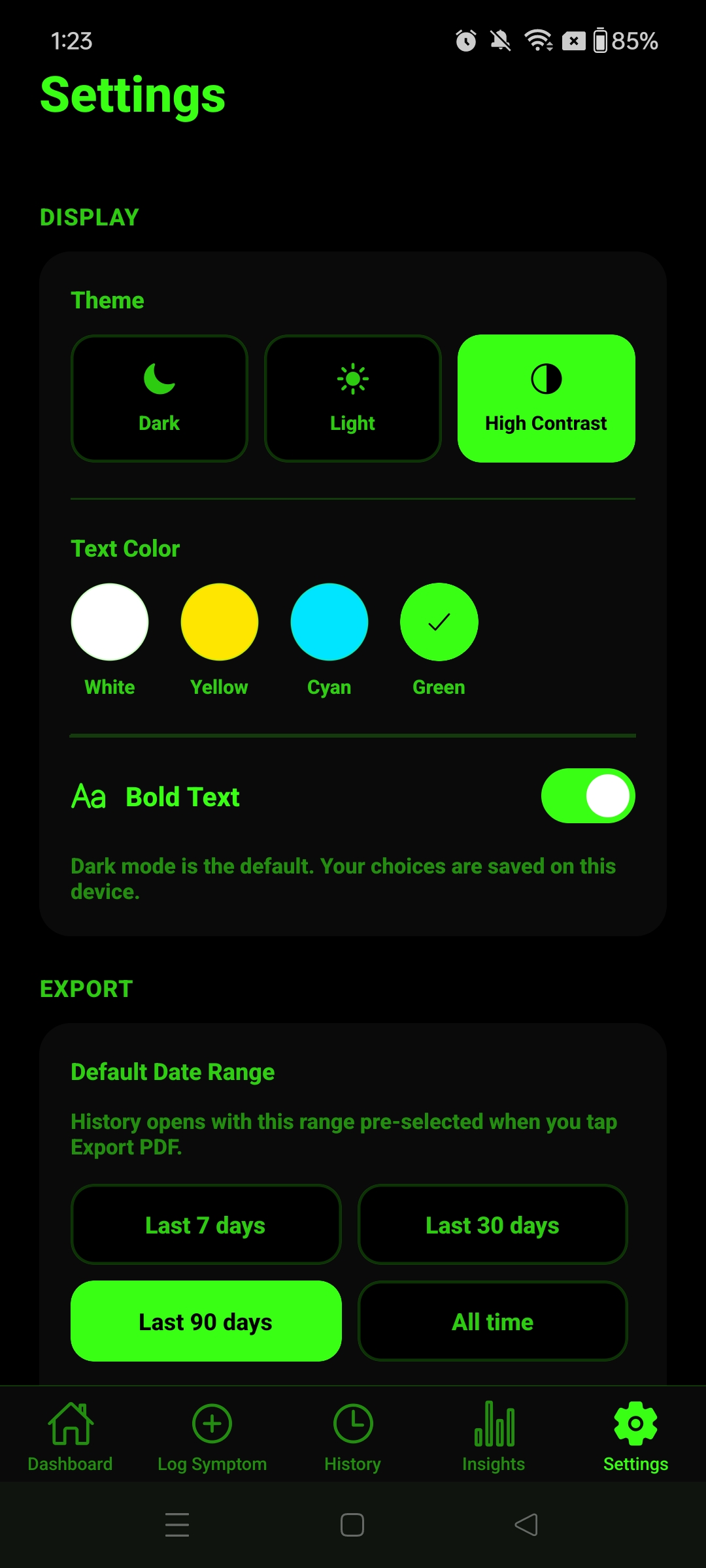
Dark, Light, and High Contrast themes with 4 text colour options. Bold text mode. Designed for any environment.
A walkthrough of each tab and how to use it. The app installs at just 14 KB — all data you add stays on your device only.
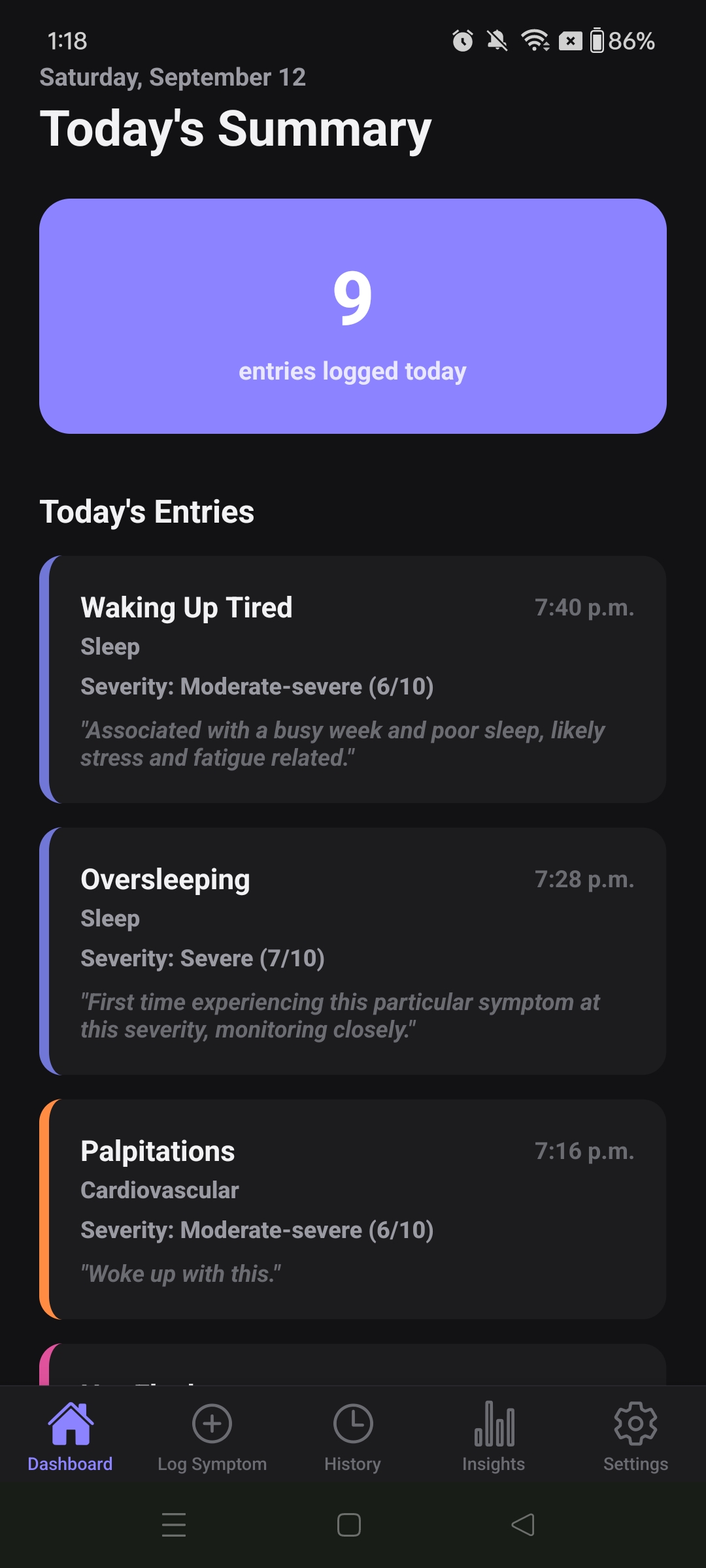
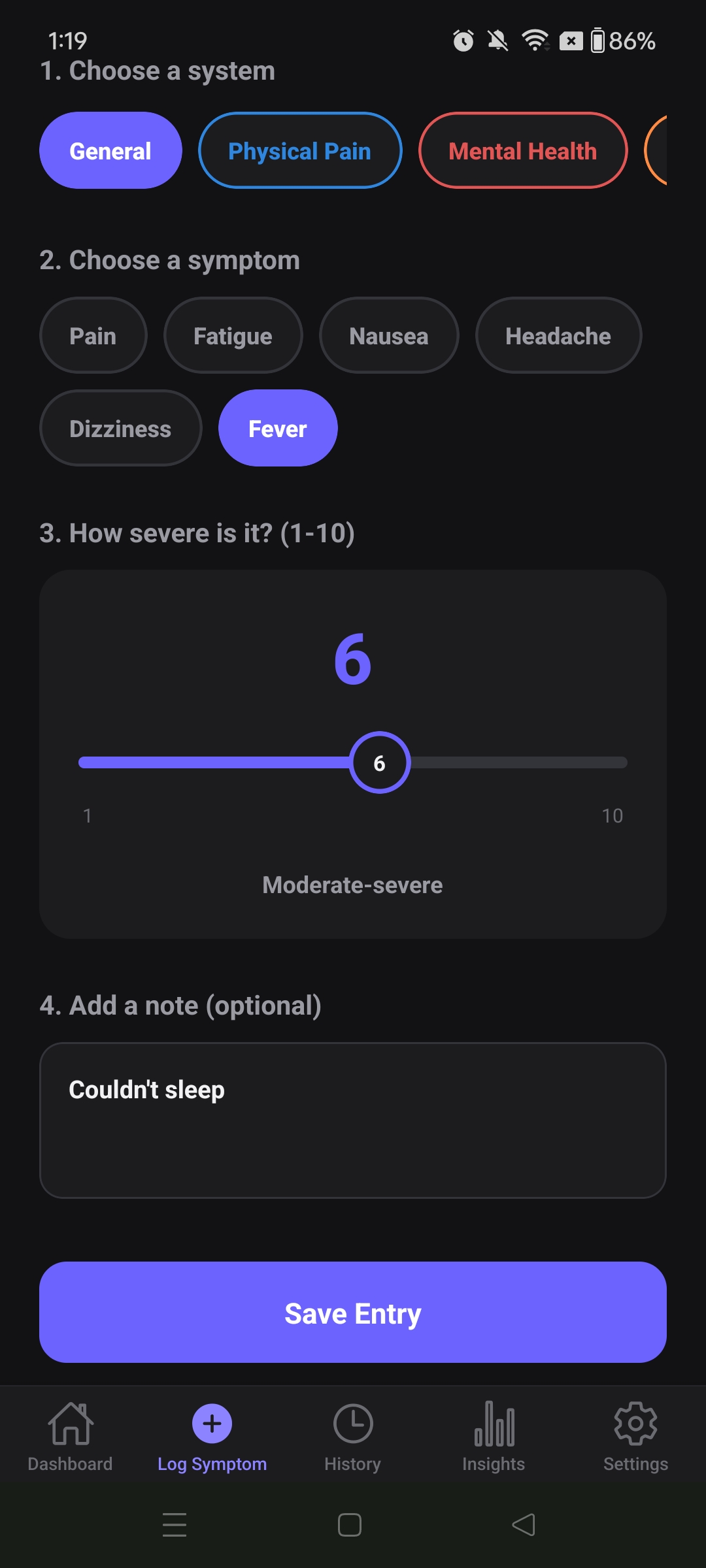
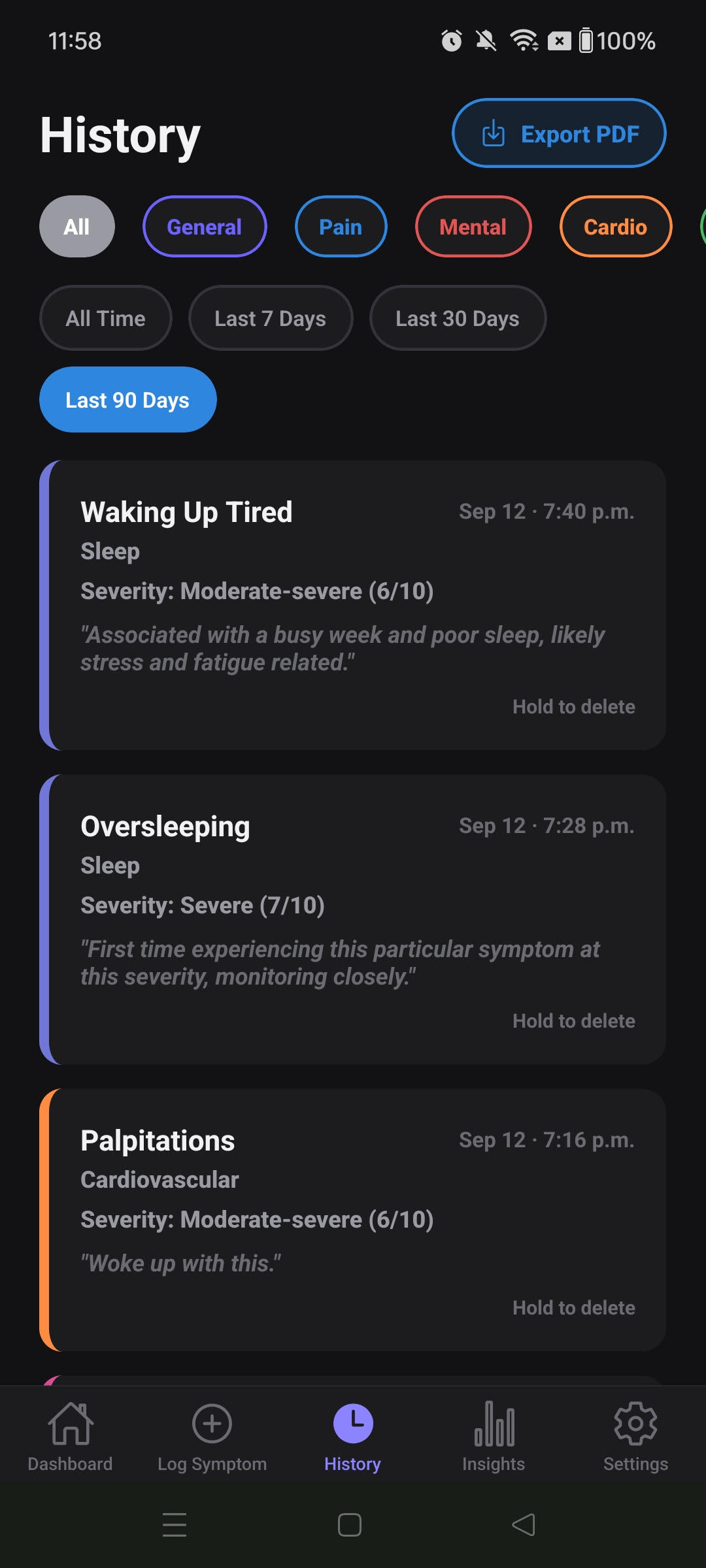
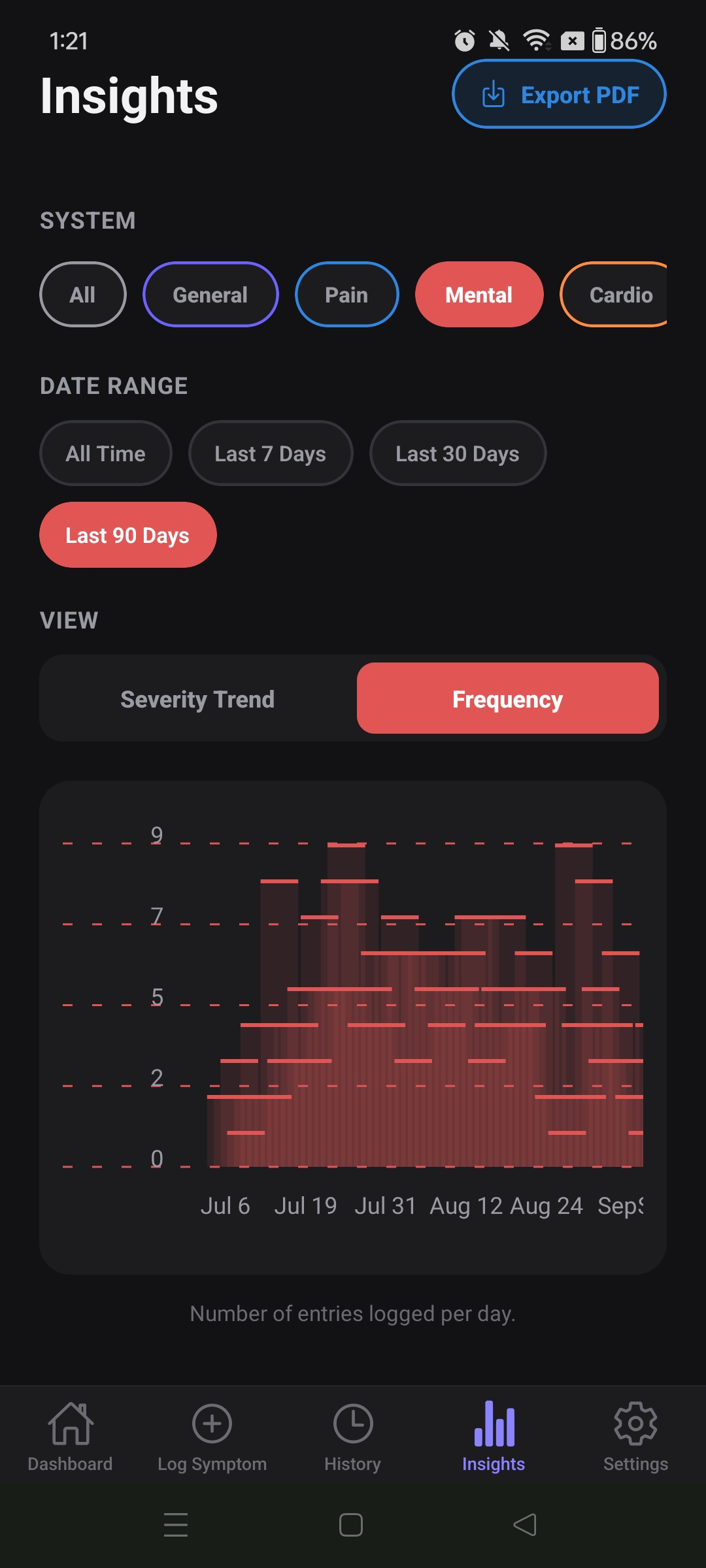
Each system has its own curated list of symptoms. Tap a system below to see what's included.
Generate a clean, paginated PDF report of your symptom history — ready to hand to a doctor, specialist, or keep for your own records. Below is a real export from the app.
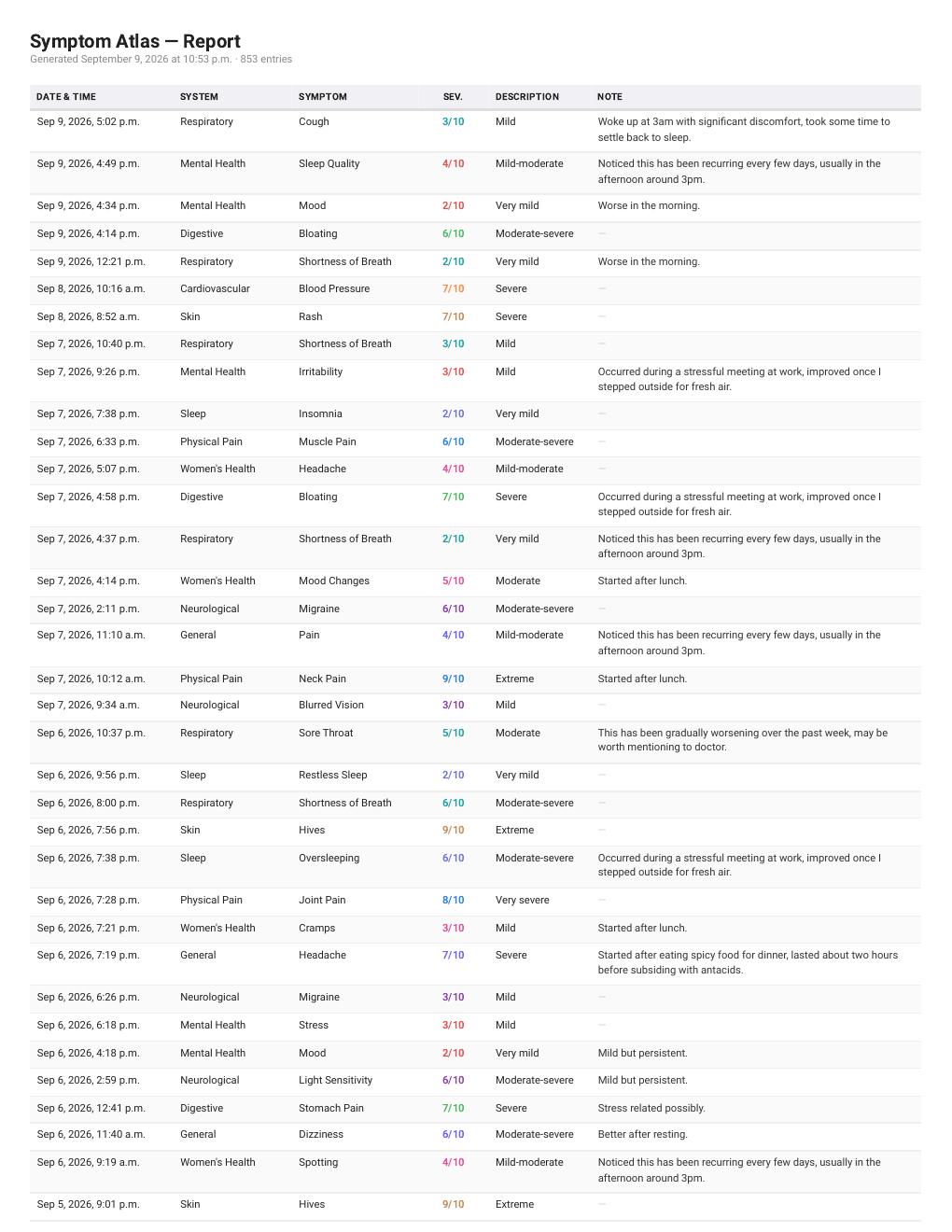
A real export from Symptom Atlas — 853 entries across multiple body systems, generated as a paginated PDF. Each row shows the date and time, body system, symptom, severity rating, description, and any notes added at the time of logging.
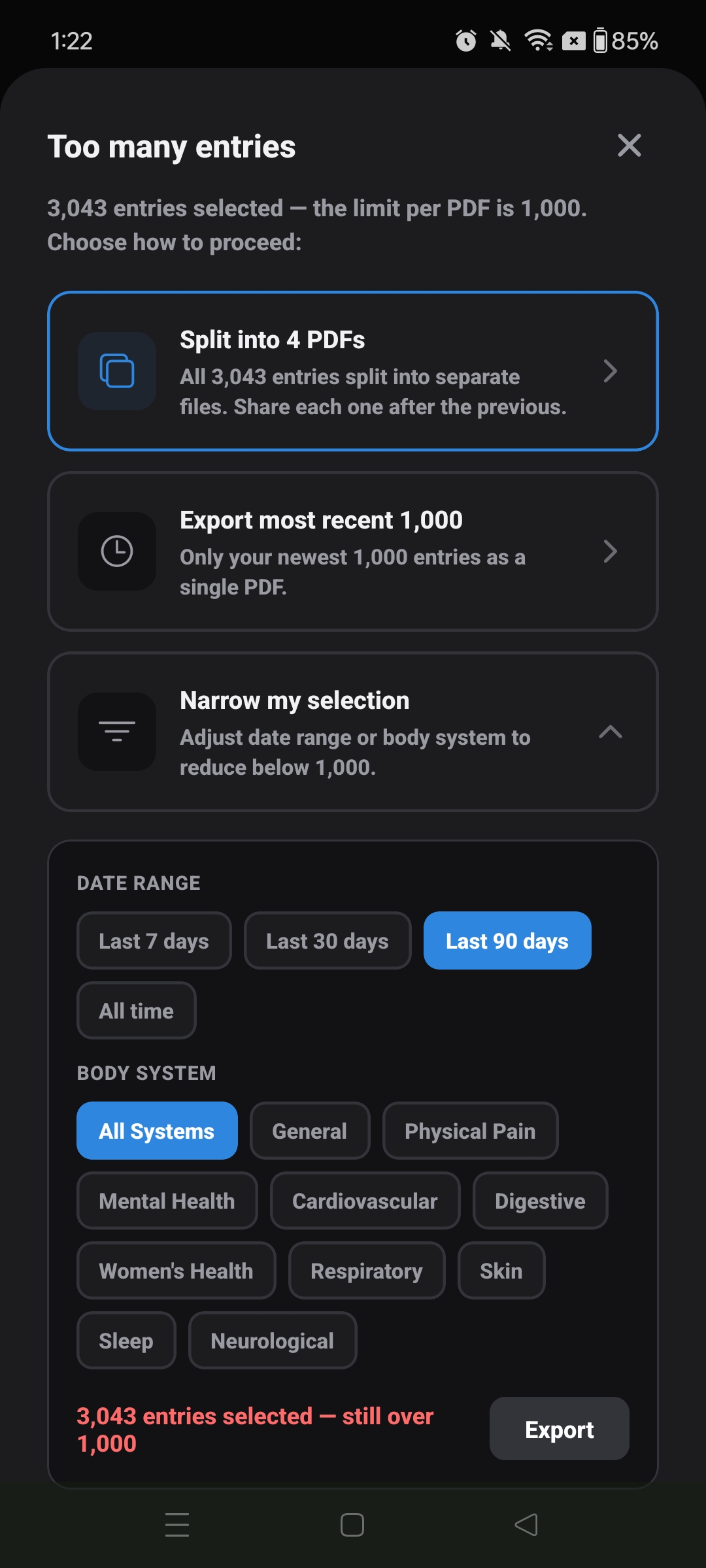
From the History tab, tap Export PDF at any time. The export uses whatever filters you have active — date range and body system — so you can generate a targeted report for a specific time period or condition.
Go to the History tab. Use the body system filters at the top and the date range row — All Time, Last 7 Days, Last 30 Days, or Last 90 Days — to narrow your entries.
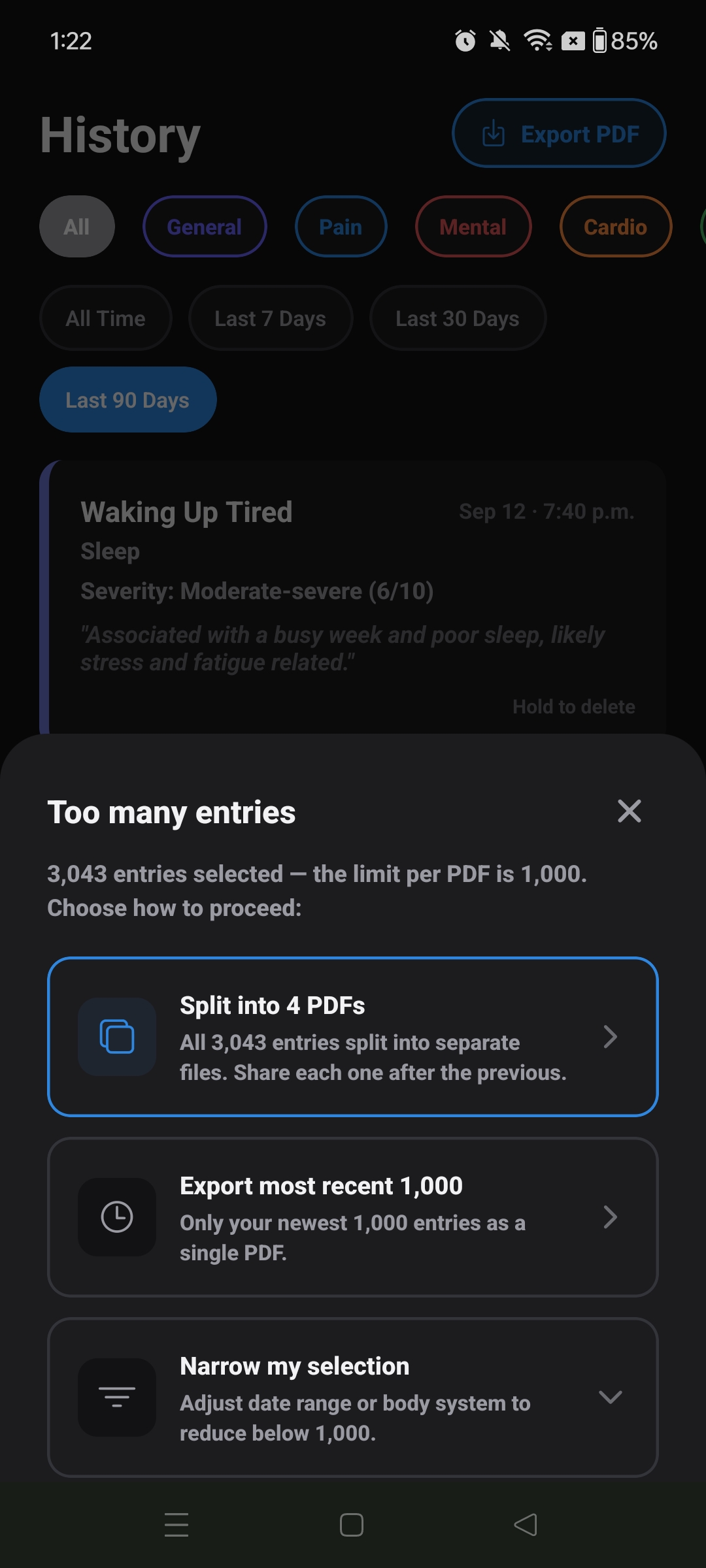
Hit the Export PDF button in the top-right corner. The app immediately checks how many entries match your current filters.
If you have 1,000 entries or fewer, the PDF generates instantly and your phone's native share sheet appears — email it to yourself, send it to a doctor, or save it to Files.
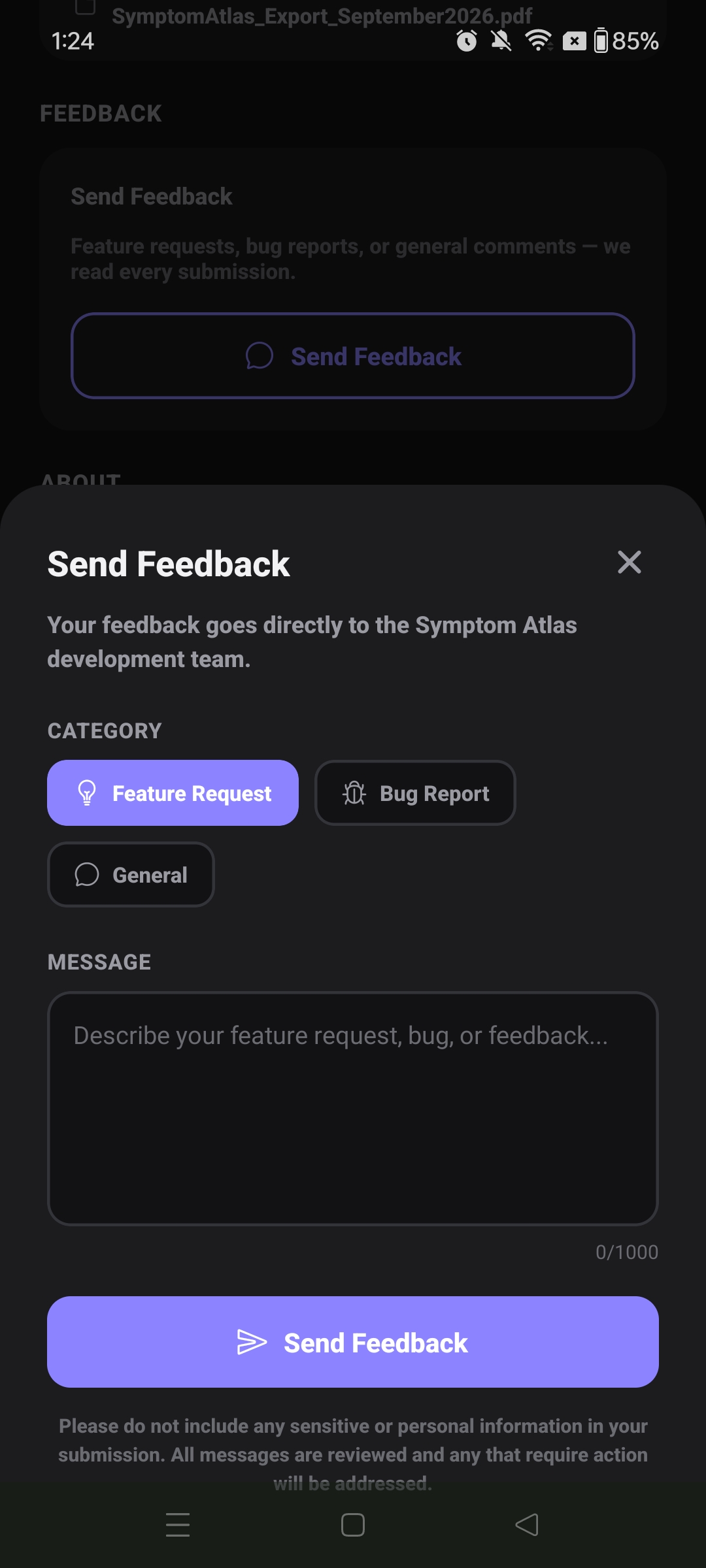
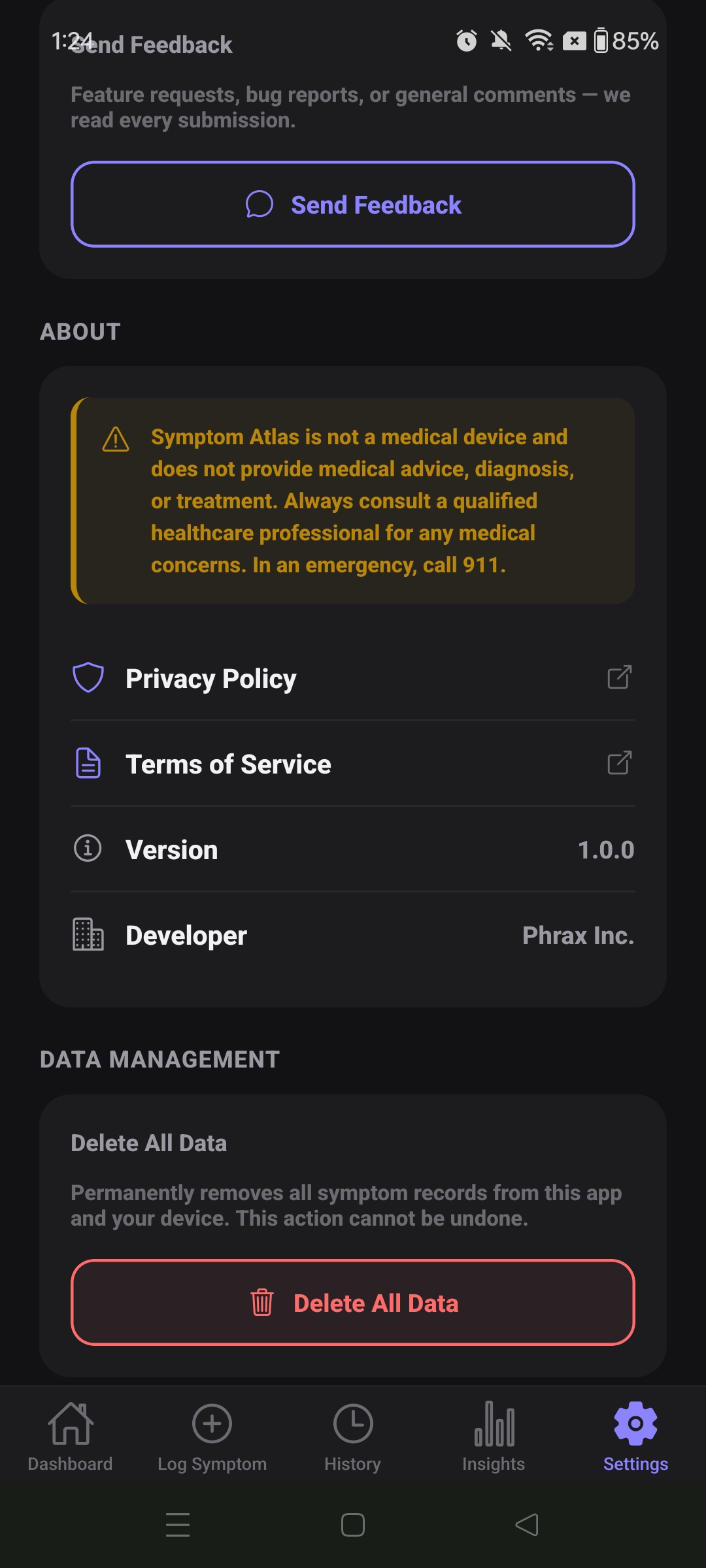
Settings lives in the last tab. It covers display preferences, export defaults, feedback, and full data control — all saved locally on your device.
Symptom Atlas is not a medical device and does not provide medical advice, diagnosis, or treatment. Always consult a qualified healthcare professional for any medical concerns. In an emergency, call 911.
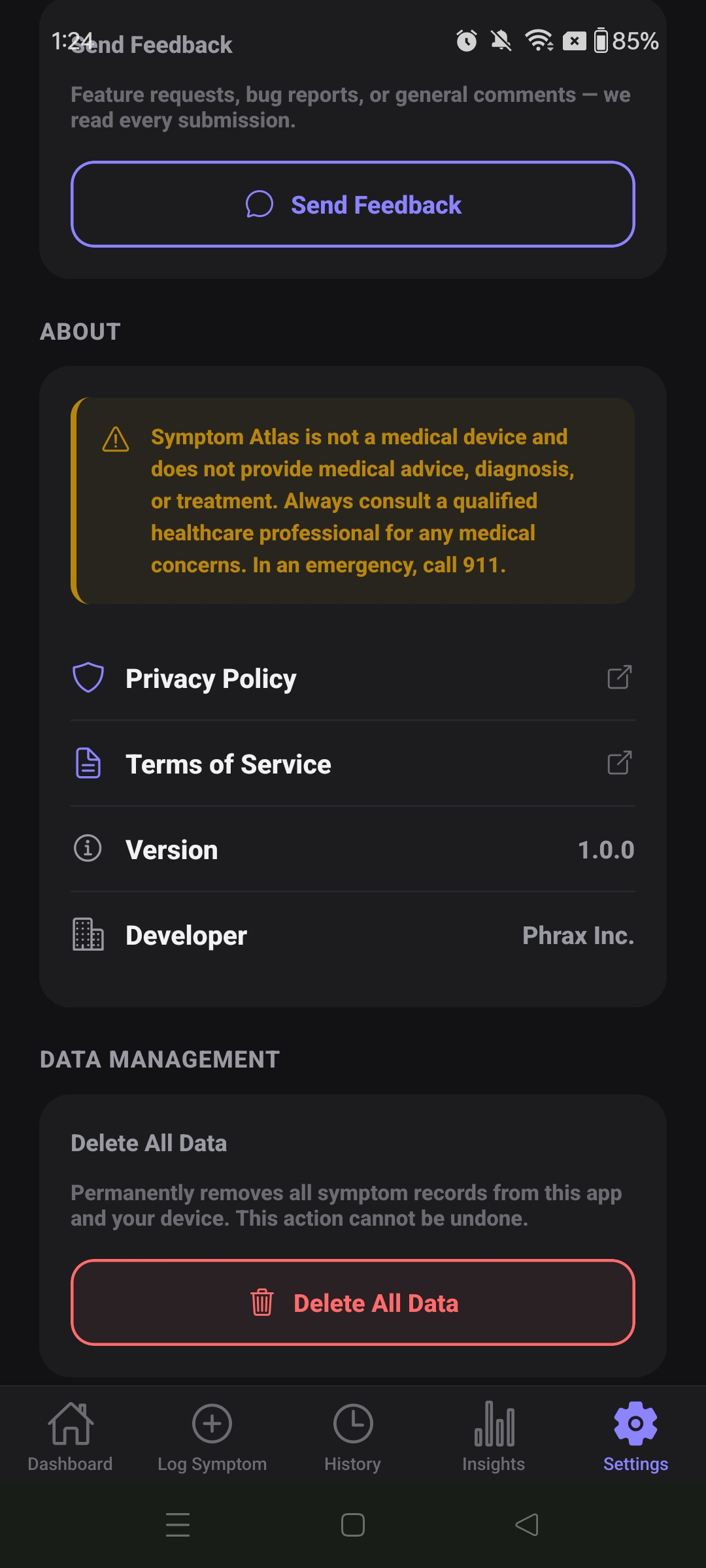
All entries, notes, and severity logs are stored locally on your device only. Phrax Inc. does not hold a copy — once deleted, there is no way to recover your data.
Health data is personal. Symptom Atlas was designed from the start so that Phrax Inc. has no way to access what you log — because we never receive it.
Stored on-device only. All entries are saved to a local SQLite database on your phone. Nothing is transmitted to any server.
No account needed. You don't sign up, log in, or hand over an email address to use any feature in the app.
Exports stay with you. PDF reports are generated on your device and shared through your phone's native share sheet. Phrax Inc. never receives your exported files.
You control deletion. Clear your data anytime from Settings. When you uninstall the app, your data is gone — permanently, because it was never anywhere else.
Symptom Atlas is actively developed. Here's what's planned for upcoming releases.
Symptom lists across all 10 body systems are being reviewed and expanded based on medical feedback. New symptoms will be added and existing ones reorganized for clinical accuracy.
Greater control over your own data — including the ability to edit past entries, filter and bulk-delete by date range or category, and export in additional formats.
Improvements to the export interface including chart embedding, custom date range selection at export time, and a cleaner report layout designed to be shared with healthcare providers.
Additional features are in planning. Symptom Atlas is built to grow alongside its users — feedback from the community directly shapes what gets built next.
Buy once, keep it forever. No recurring fees, no upsells, no ads. Prices are set per region and may vary slightly from what Google Play displays due to local tax and rounding.
Prices are indicative. Final price is set by Google Play and may include local taxes. One-time purchase — no subscription, no in-app purchases.
Symptom Atlas is a personal tracking tool. It does not diagnose, treat, or provide medical advice of any kind.
Symptom Atlas has not been evaluated or approved by Health Canada or any other regulatory authority as a medical device or medical software. Information generated by the app — including logs, charts, and PDF reports — is for personal reference only. Always consult a qualified healthcare professional for medical concerns. In an emergency, call 911.